When manufacturing products, it is necessary to work with manufacturing inputs and outputs. Typical inputs can be raw materials and typical outputs can be dimensions of the product.
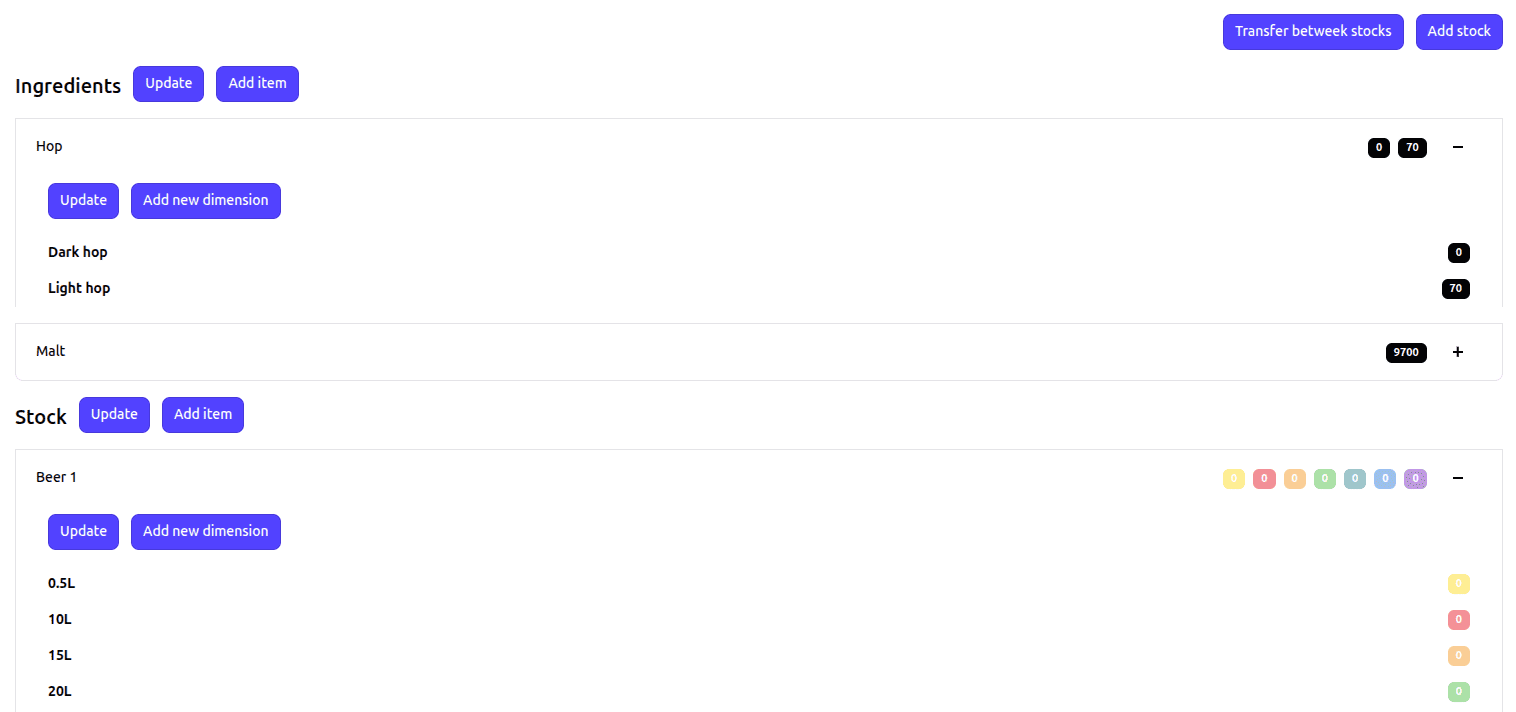
When producing beer, we could divide the stock into:
Below you can see what such a stock would look like in the OFFISEEK platform.
Adjustments to stock items can occur in two ways:
Each stock adjustment is subsequently recorded on the given stock item. For an accurate understanding of production, it is necessary to record individual operations on stock items in the stock history so that it is clear where a certain quantity was increased or decreased.
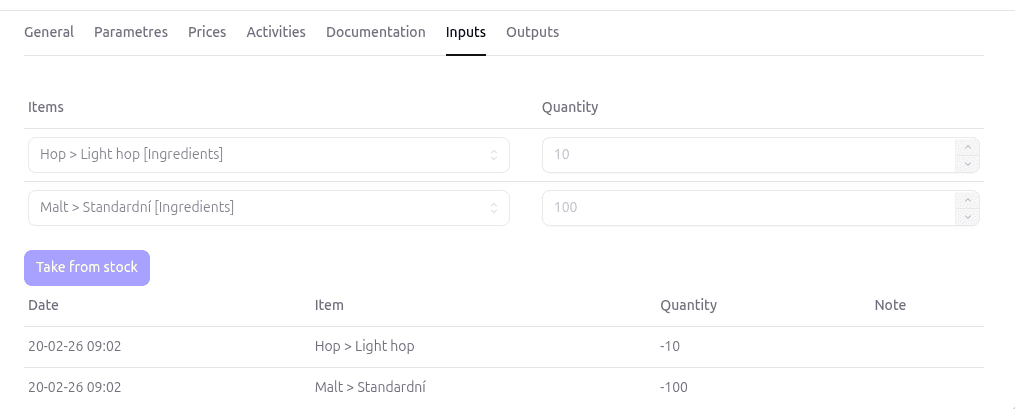
Each product has a defined set of raw materials from which it will be produced. The quantity of each raw material depends on the quantity of the product being produced. In the OFFISEEK platform, you can create product templates for which you define the set of inputs and outputs for the production of a given product. When implementing an order or producing for stock, you can pre-fill the production card from the product template.
When the stock worker begins to prepare the material for the production of the product, the production manager or stock worker can click the Take from stock button, which will adjust the quantity of individual stock items.
Likewise, the final product can be added to stock as soon as it is manufactured.
The product dashboard simply shows whether raw materials were taken from stock and final products were added after the production of the product. (green squares - the top one shows input and the bottom one shows output.)
